
ITS for Your Work Zones.
Built by YOU.
SmartZone is SolarTech’s Intelligent Transportation System (ITS) software for work zones. Turn real-time sensor data and third-party data feeds into automatic roadside messages and warnings, using rules you create. No custom programming required. Keep teams and travelers informed with data feeds to Waze, email, and text alerts on system status and work zone conditions.
YOU define scenarios.
YOU set the rules.
- 01
Connect your data
Bring together work zone sensor data and supported third-party traffic feeds.
- 02
Choose the response
Set simple condition-and-response rules for changing traffic conditions, travel times or construction vehicle egress. No custom programming required!
- 03
Automate the action
Automatically update message boards, activate flashing beacons and send updates. Adjust your rules yourself as project needs change.
- 04
See the whole picture
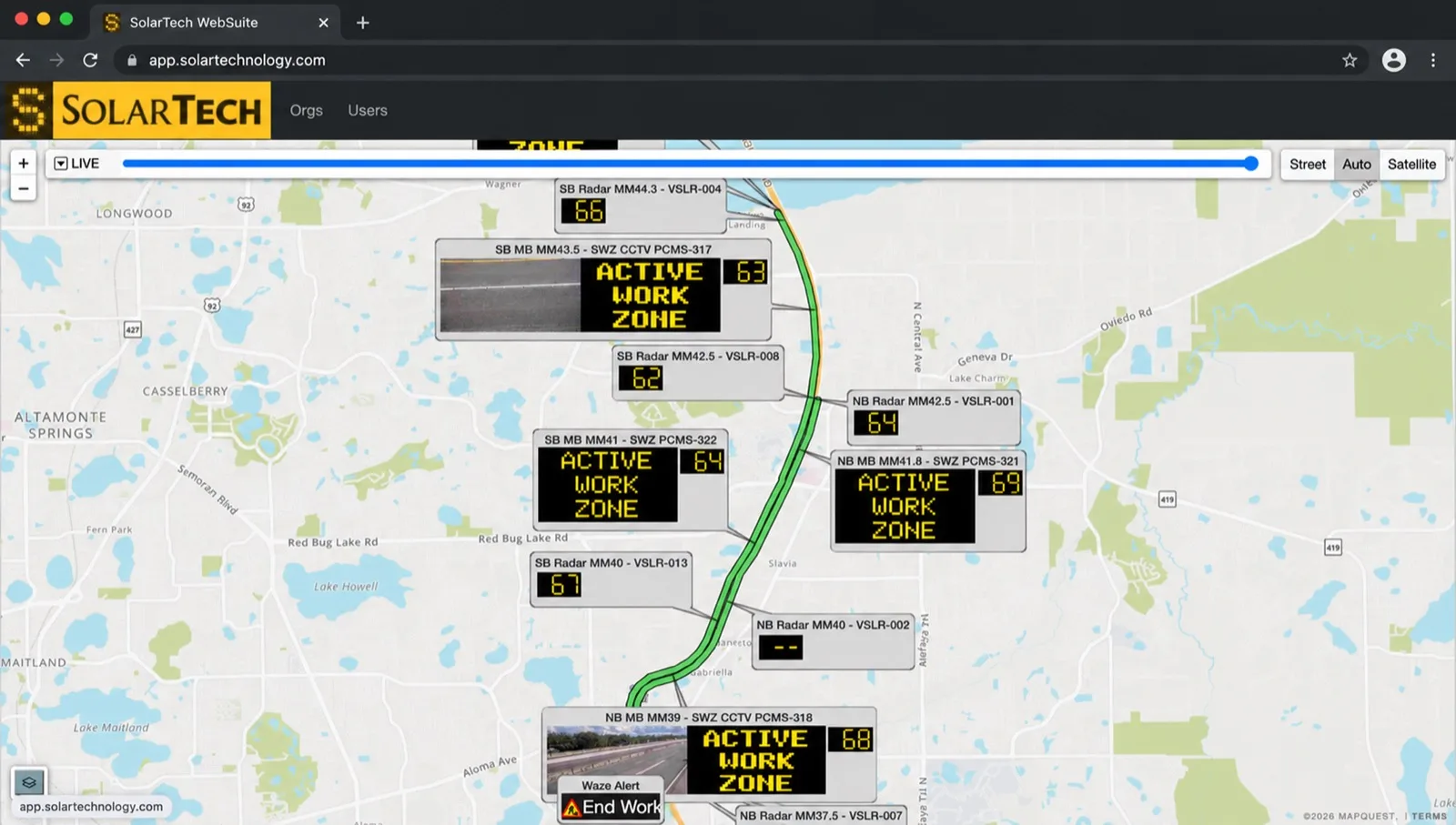
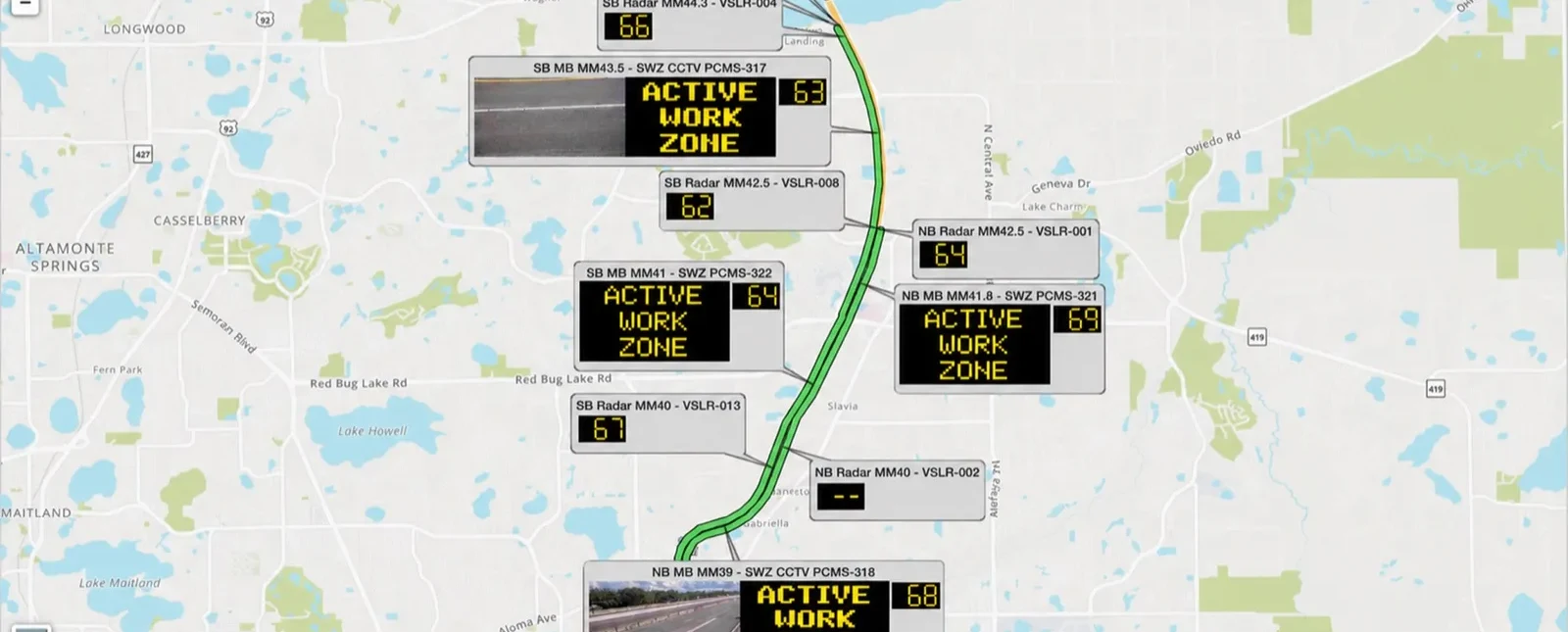
Monitor your work zone on a live map combining camera feeds, sensor readings, color-coded traffic overlays and displayed messages. Review historical sensor and message data to see how your work zone responded over time.
Set up and select data inputs
Connect roadside sensors and third-party traffic data to power your SmartZone scenarios.
Respond to changing conditions
From queue warnings to travel time updates, create scenarios that keep drivers informed, and adjust them yourself as your project changes. SmartZone is built to be flexible, so it can adapt to whatever your DOT wants to do. These are just a few examples.
Queue detection and warning
Detect slow or stopped traffic and automatically update upstream message boards. Use GPS-based distance calculations to tell drivers how far ahead the slowdown begins.
Travel time information
Turn travel time data into roadside updates that help drivers understand the journey ahead.
Construction vehicle warnings
Use presence detection radar to activate roadside warnings when construction vehicles are preparing to enter traffic.
Variable speed limits
Set rules to support variable speed limit applications where permitted and supported by project equipment.
-
Detect slow or stopped traffic and automatically update upstream message boards. Use GPS-based distance calculations to tell drivers how far ahead the slowdown begins.
-
Turn travel time data into roadside updates that help drivers understand the journey ahead.
-
Use presence detection radar to activate roadside warnings when construction vehicles are preparing to enter traffic.
-
Set rules to support variable speed limit applications where permitted and supported by project equipment.
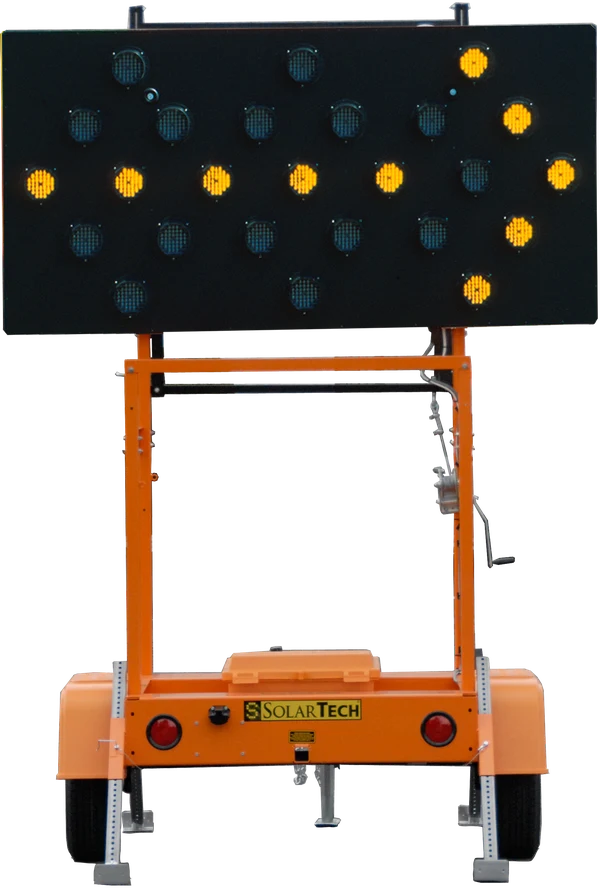
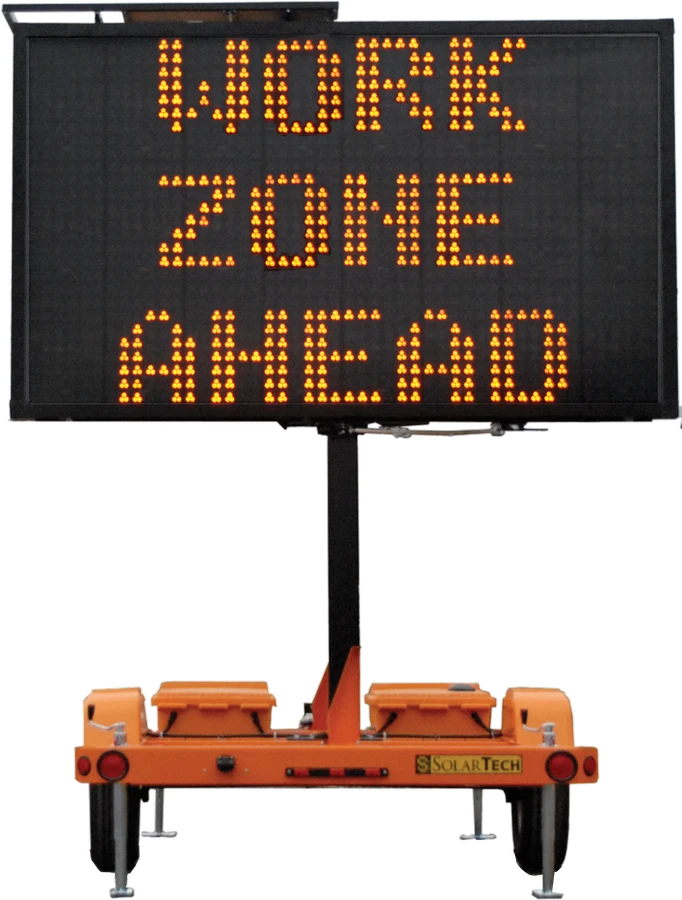
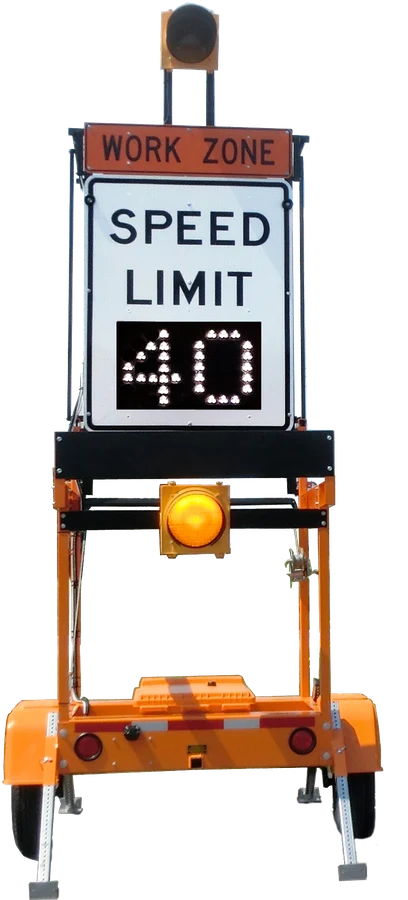

Keep drivers informed and teams connected
Deliver roadside warnings, send email updates and share work zone data beyond the job site.
-
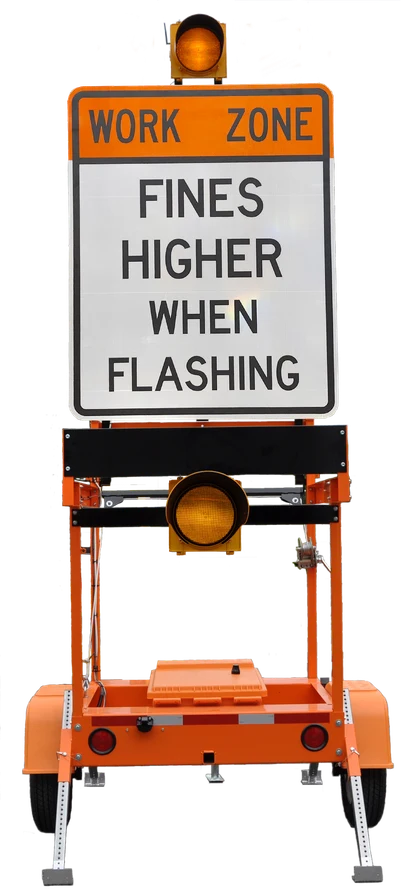
Automatically update message boards and activate flashing beacons based on your rules.
-
Keep teams informed about work zone conditions and system status.
-
Share work zone information with Waze to help inform approaching travelers.
-
Provide work zone data through WZDx and TranSTAR feeds. Custom API feeds can be developed for additional integration needs.
Monitoring and Reporting
Your work zone in a single view
Bring camera feeds, real-time sensor readings, color-coded traffic overlays and displayed messages together on a live map. Review historical sensor and message data to see how conditions and system responses changed over time.
Reporting
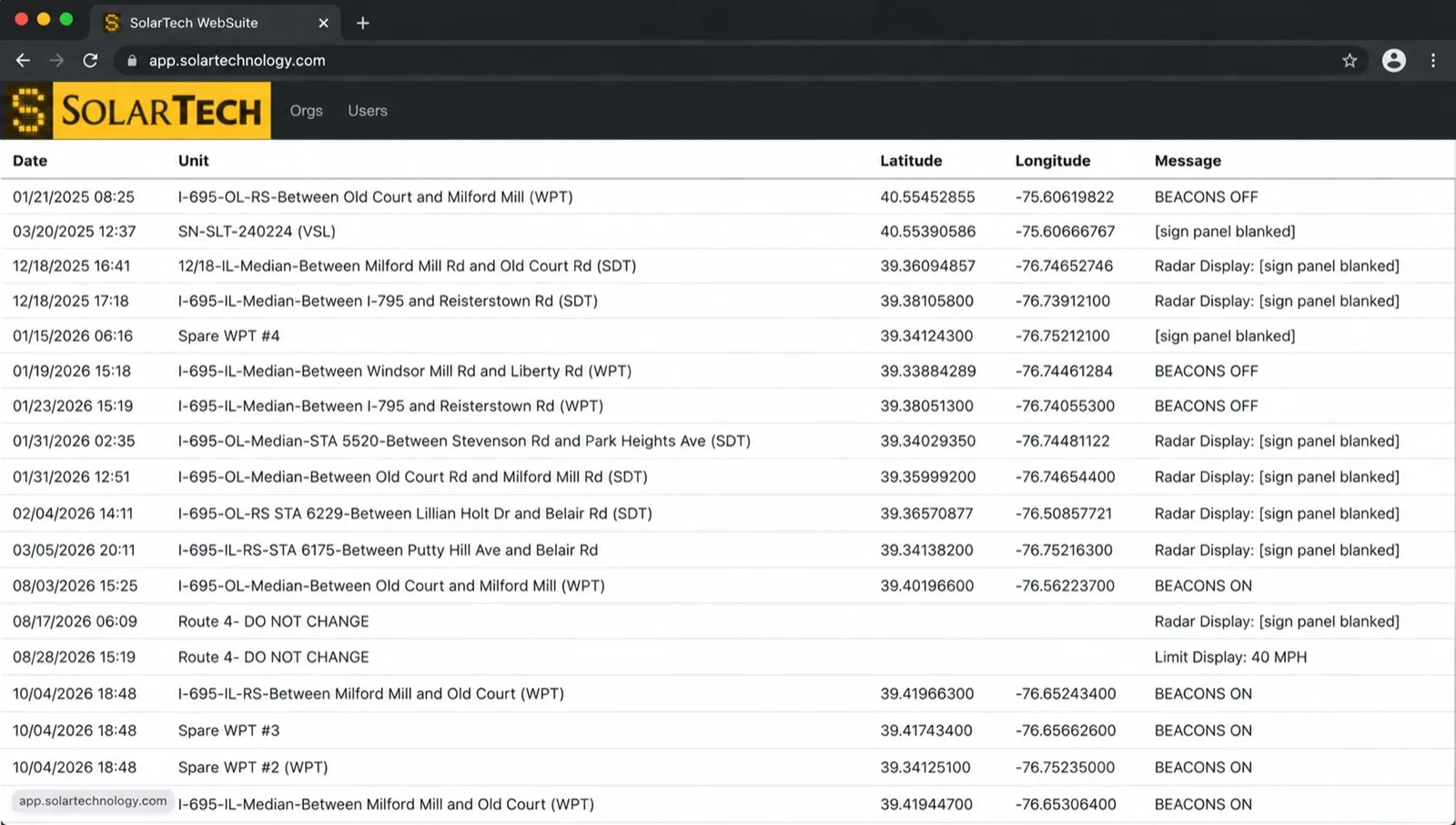
Access detailed historical reports of collected sensor data and displayed messages to support project documentation and reporting requirements. Report distances between units to help verify work zone layout. Set up reports to send automatically on a schedule, like every Monday for the previous week, so no one has to remember.


Frequently asked questions
What is SmartZone?
SmartZone is SolarTech’s Intelligent Transportation System (ITS) software for work zones. Turn real-time sensor data and third-party data feeds into automatic roadside messages and warnings, using rules you create. No custom programming required. Keep teams and travelers informed with data feeds to Waze, email, and text alerts on system status and work zone conditions.
How does SmartZone work?
You connect your data from a wide array of inputs such as doppler radar, side-fire radar, vehicle presence detectors, over-height detectors, Bluetooth travel time sensors, cameras, connected work zone markers and even HERE traffic data. Then you choose the response and automate the action. Then you monitor the work zone on a live map. It’s that easy. Condition-and-response rules update message boards, activate flashing beacons and send alerts, and you can adjust the rules yourself as the project changes. You are in total control!
What sensors and data feeds does SmartZone use?
SmartZone can take input from doppler radars, side-fire radars, vehicle presence detectors, over-height detectors, Bluetooth travel time sensors, cameras and connected work zone markers. It can also take input from HERE traffic data.
What can SmartZone automate?
SmartZone can automate the changing of messages on message boards, the pattern on arrow boards, the speed limit displayed on variable speed limit signs and even the turning on or off of flashing beacons based on changing conditions received by a wide array of sensor inputs. Examples include queue detection and warning, travel time messages, construction vehicle entry warnings and variable speed limit zones (where permitted and supported by project equipment). These are just a few examples of what SmartZone can do. Tell us about your special needs and we will show you how we can help you accomplish your ITS goals for your smart work-zones with SmartZone!
Does SmartZone integrate with other systems?
Yes. SmartZone is capable of sending work zone information to Waze and provides data through WZDx and TranSTAR feeds. Custom API feeds can be built for other integrations, and email and text alerts cover system status and work zone conditions. Contact us about your specific needs and we will show you how SmartZone can do it!
Can SmartZone report on what happened in a work zone?
Yes. You can review historical sensor and message data, report distances between units to verify layout, and schedule reports to send automatically. Let us show you all that SmartZone can do for your reporting needs!
Don’t see what you need?
SmartZone is highly customizable. If your work zone needs something that isn’t shown here, reach out and tell us what you’re trying to do. We’ll make it happen.
Book a SmartZone demo
Tell us about your project and we'll set up a walkthrough with someone on our team.
Prefer to talk? Call (610) 391-8603.